
Get 60 free Winter iPhone Wallpapers to cozy up your screen this season! From snowy nature scenes to minimalist, cute, and Christmas-inspired designs, download aesthetic winter backgrounds today.

Hi beauties! Looking for a winter iPhone wallpaper that feels cozy every time you unlock your phone? I've gathered 60 free backgrounds for every winter mood, from snowy forests and cute snowmen to minimalist snowflakes, cozy cabins, moody nights and seasonal quotes.
If you've loved the cozy vibes from my Aesthetic Fall Wallpaper collection, you'll definitely want to download these seasonal favorites too. I've curated options that suit every style - from minimal icy blues to warm, cottage-inspired snow scenes. Just like switching out home décor, updating your wallpaper can set the mood for your digital space.
Browse the six collections below and save a few favourites. You can choose one for your Lock Screen, pick a simpler design for your Home Screen, or switch them throughout winter. If you're moving on from autumn, you might also like my 60 free fall iPhone wallpapers.
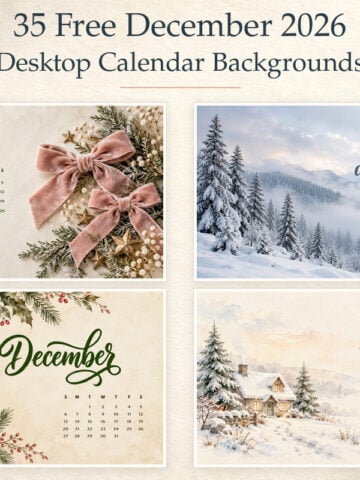
Want your computer to feel cozy too? Browse my aesthetic winter desktop backgrounds for snowy cottages, soft neutrals and simple organizers.
How to Save and Use These Winter iPhone Wallpapers
- Browse the wallpapers below and find a design you love.
- On your iPhone, touch and hold the image, then choose the option to save it to Photos. The wording may vary slightly by browser.
- Open Settings → Wallpaper → Add New Wallpaper → Photos and select the image you saved.
- Adjust its position if needed, then tap Add. Choose Set as Wallpaper Pair to use it on both screens, or Customize Home Screen to choose a different background behind your apps.
A detailed snowy scene can make a beautiful Lock Screen. For your Home Screen, try one of the simpler designs if you want your app icons to stand out.
The Winter iPhone Wallpaper Collection
Cozy Aesthetic Winter iPhone Wallpapers
If you're all about warm blankets, twinkling candles, and hygge vibes, you'll love these cozy aesthetic winter iPhone wallpapers. Each design is filled with soft textures and inviting tones that bring comfort to your daily scroll. Perfect for anyone who wants their screen to feel like a cozy winter evening at home.


Cute Winter iPhone Wallpapers
Add a playful touch to your lock screen with these cute winter iPhone wallpapers. Featuring snowmen, cozy doodles, and whimsical designs, this collection is perfect for both kids and the young at heart. Bright, cheerful, and fun - these wallpapers bring a little joy every time you unlock your phone.


Snowy and Nature Winter iPhone Wallpapers
Bring the magic of the outdoors to your screen with these snowy and nature winter iPhone wallpapers. From frosted forests and icy lakes to soft falling snow, each background captures the serene beauty of the season. These designs are perfect if you love scenic winter landscapes that make your phone feel like a peaceful escape.


Minimalist Winter iPhone Wallpapers
For those who prefer clean and simple designs, these minimalist winter iPhone wallpapers offer a modern seasonal touch without the clutter. Think frosty blues, subtle snowflakes, and elegant icy patterns. These wallpapers are ideal for keeping your phone looking sleek while still embracing winter's charm.


Dark & Moody Winter iPhone Wallpapers
Capture the mysterious side of the season with these dark and moody winter iPhone wallpapers. From snowy nights under the moon to deep blue skies and dramatic silhouettes, these designs add a sophisticated edge to your phone. Perfect for anyone who loves atmospheric, cinematic winter vibes.


Winter Quote iPhone Wallpapers
Sometimes the right words can warm you up on the coldest days. These winter quote iPhone wallpapers pair beautiful seasonal imagery with inspirational and cozy sayings. Whether you want motivation, gratitude, or a touch of holiday spirit, these wallpapers are both pretty and meaningful.


How to Download and Use These Wallpapers
- Browse through the collection and choose your favorite design.
- Tap and hold on the image you love, then select "Save to Photos."
- Open your iPhone settings, navigate to Wallpaper, and select the saved image.
- Adjust to fit your lock screen or home screen for a seasonal refresh.
Which Winter iPhone Wallpaper Should You Choose?
Start with the look you want to see most often. The cozy collection has warm coffee shops and cabins; the cute designs feature snowmen and playful winter details. If you love a peaceful view, explore the snowy nature wallpapers. For a quieter screen, try the minimalist section. You'll also find dark, moody scenes and winter quotes if you want something a little different.
Save more than one favourite and see how each looks with your clock, widgets and apps. You can always switch it later.
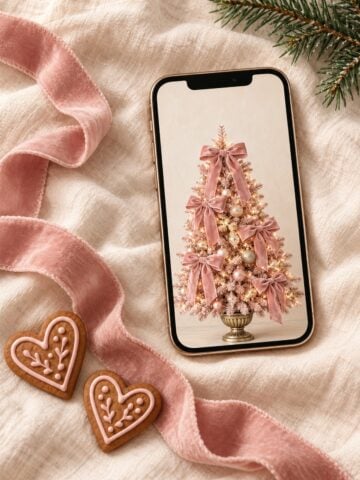
If you love holiday inspiration, don't miss my 35 Christmas Aesthetic Photos to Put You in the Holiday Spirit! For a pink-only holiday collection, try these cute pink Christmas phone backgrounds with bows, candy canes and cosy cottage scenes.
More Free Phone and Desktop Wallpapers
Want to change your screens with the seasons? Here are a few more free collections to explore:
- 60 Free Fall iPhone Wallpapers - cozy autumn scenes, cute designs and fall colours.
- 30 Cute Christmas iPhone Wallpapers - festive options for the holiday season.
- 25 Cute Christmas Desktop Wallpapers - seasonal backgrounds for your computer.
- 60 Free Spring iPhone Wallpapers - florals and fresh colours for the next season.
You can also browse all my free tech wallpapers whenever you're ready for a new look.
Conclusion
I hope you found a winter wallpaper that makes your phone feel a little cozier. Whether you picked a snowy forest, a cheerful snowman or a simple snowflake, save a few favourites so you can change your screen whenever the mood strikes.
Which design did you choose? Tell me in the comments-I'd love to know!
Until next time,



As Seen on TikTok
Come behind the scenes of our farmhouse build, decor projects, and cozy everyday life. Tap a video to watch, then follow @nikkisplate on TikTok for more.
Watch this video on TikTok
Watch this video on TikTok
Watch this video on TikTok



Leave a Reply